

Laptops are an integral part of our lives, whether it's work, study or entertainment. Choosing the right device can make your tasks much easier, but it's easy to get confused among the large number of models. Let's consider the main criteria for choosing a laptop and provide practical advice on how to find the best option. By the way, a wide selection of laptops can be found on the website https://dkt.ua/noutbuki.
1. Determine the purpose of using the laptop
The first step in choosing a laptop is to clearly determine what exactly you need this device for. Will it be a tool for work, study, gaming, or creativity? Depending on your needs, the requirements for a laptop can vary significantly. For example:
- A budget laptop with basic specifications will be enough for working with office programs and web surfing.
- Gamers need more powerful models with high-quality graphics and large amounts of RAM.
- Creative professionals who work with graphics editors or video pay attention to processor performance and display capabilities.

2. Choosing an operating system
The operating system (OS) is an important part of any laptop, as it determines how you will interact with the device. The most common OSs are:

- Windows — a versatile system suitable for a wide range of tasks, including office work, gaming, and creative tasks.
- macOS — from Apple, ideal for those working with multimedia and design.
- Linux — an option for more technically savvy users that gives a lot of freedom of settings.
3. Technical specifications
To choose the best laptop, pay attention to the following technical specifications:
- Processor. This is the “brain” of the laptop. For everyday tasks, an Intel Core i3 or i5 is enough, for more serious tasks - an i7 or i9.
- Random Access Memory (RAM). The minimum for modern laptops is 8 GB, but if you plan to use your laptop for complex tasks, such as video editing or running a large number of applications at once, you should choose models with 16 GB or more.
- Video card. An integrated graphics card (e.g. Intel UHD) will be sufficient for office work, but for gaming or graphics tasks you will need a discrete graphics card (e.g. NVIDIA or AMD).
- Storage device. An SSD is the best choice because it is faster and more reliable than a regular HDD. The recommended minimum is 256 GB for normal tasks and 512 GB or more for storing large files.
4. Display and screen size
The screen is one of the key aspects of choosing a laptop, as it is what you will interact with every day. When choosing, pay attention to:
- Screen size. The standard size for most laptops is 15.6 inches, but if you work on the go a lot, a smaller 13-inch option might be a good fit.
- Resolution. For a clearer image, it is worth choosing displays with a resolution of Full HD (1920×1080) or even higher for multimedia tasks.
- Display quality. IPS technology provides better viewing angles and colors, which is important for those who work with graphics.
5. Battery life
Battery life is an important aspect, especially for those who travel a lot or work outside the office. Before buying, you should pay attention to the battery capacity and user reviews about real-time operation without recharging. The best models can work up to 10-12 hours on a single charge.
6. Keyboard and touchpad
If you type a lot, pay attention to the comfort of the keyboard. Full-size keyboards with backlighting and large key travel will ensure comfort while working. The touchpad should also be accurate and responsive.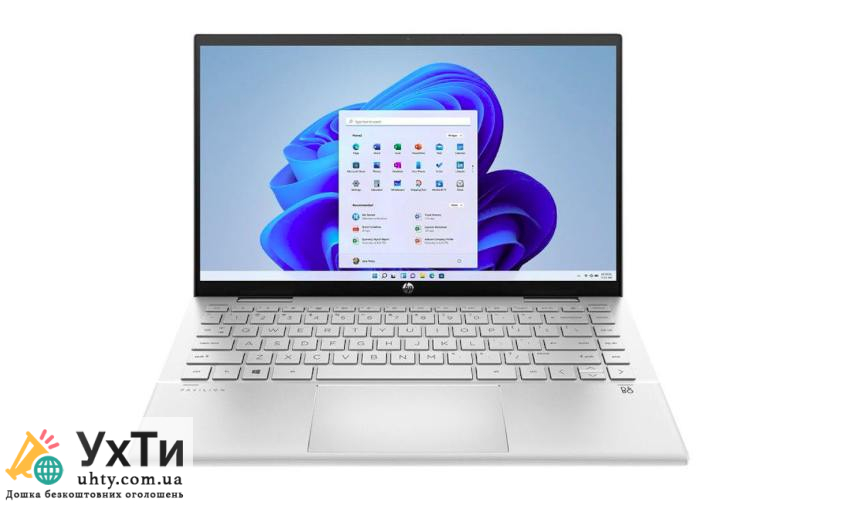
7. Additional ports and connectivity options
The portability of a laptop should not affect its functionality. Pay attention to the number and types of ports that the model offers:
- USB. More USB ports mean more options for connecting peripherals.
- HDMI or DisplayPort. For connecting external monitors or projectors.
- Card reader. If you often have to work with SD cards, this item will be useful.
- Wi-Fi and Bluetooth. It is important that the laptop supports the latest wireless standards for fast Internet and accessory connectivity.
8. Weight and portability
If you're on the go, the weight of your laptop can be a deciding factor. Ultrabooks are ultralight devices that are easy to carry around, but they tend to be more expensive and have a limited set of ports.
9. Brand and warranty
When choosing a laptop, you should pay attention to the manufacturer's reputation and warranty terms. Well-known brands such as Lenovo, Dell, Apple, HP, Acer, Asus offer good warranty terms and quality after-sales service.
DKT.ua online store: your reliable choice of laptops
DKT.ua is a proven online store where you can find a wide range of laptops from leading manufacturers such as Apple, Dell, HP, Asus and others. The store offers a convenient interface for choosing equipment, detailed descriptions of characteristics and fast delivery throughout Ukraine. Thanks to favorable purchase conditions and a guarantee for all products, DKT.ua is a reliable partner for those looking for a high-quality laptop at an affordable price.
Choosing a laptop is always a balance between your needs and your budget. By taking all these aspects into account, you will be able to choose the best option that will meet your expectations and help you complete your tasks with maximum comfort.

