

Photography has become an integral part of our lives. We capture everything from ordinary moments of everyday life to important events. However, there is often a need to remove watermarks from photos, especially if we want to use them for personal or commercial purposes. Artificial intelligence can help us with this. One of the best tools for removing watermarks is DeWatermark online service.
DeWatermark is an online service that uses powerful artificial intelligence algorithms to remove watermarks from photos. This tool is designed to simplify the image processing process, ensuring high-quality results and ease of use.
Why choose DeWatermark
- Ease of use: The service has an intuitive interface that allows even beginners to easily use this service. You do not need to have any special knowledge or skills in the field of image processing.
- High quality watermark removal: By using advanced artificial intelligence algorithms, DeWatermark provides high-quality watermark removal without losing image details.
- Processing speed: Processes photos very fast, saving you time. Even when processing large files, the process only takes a few minutes.
- Data security: All uploaded photos are treated confidentially. The service guarantees that your images will not be stored on servers after processing is complete.
- Support for various formats: Supports many popular image formats, making it a versatile tool for a variety of needs.

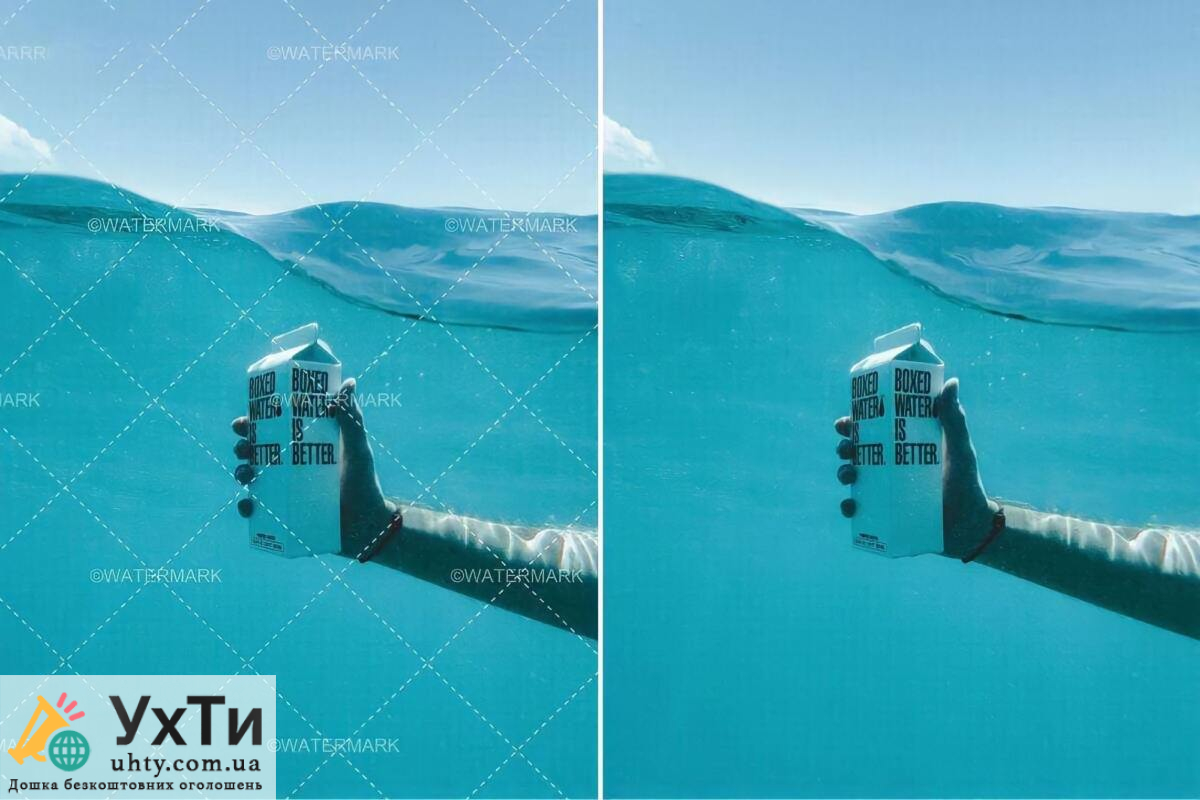
How does it work?
The watermark removal process consists of a few simple steps:

- Uploading a photo: The first thing you need to do is upload your watermarked photo to the site. You can do this by clicking the “Upload” button and selecting the desired file from your device.
- Image analysis: After uploading a photo, artificial intelligence analyzes the image, determining the location of the watermark and other details.
- Removing a watermark: Artificial intelligence algorithms begin the process of removing the watermark while preserving the image quality. The process takes several minutes.
- View result: After processing is complete, you can view the result and evaluate the quality of watermark removal.
- Uploading the processed image: If you are satisfied with the result, you can download the processed image to your device.
Recommendations for use
To achieve the best results when using it, you should consider some recommendations:
- Choosing a high-quality source image: The higher the quality of the source image, the better the watermark removal results will be. High-resolution images will allow the algorithms to better recognize details.
- Result evaluation: Always preview your edited image before uploading. If you are not completely satisfied with the result, try repeating the process or using advanced editing features if available.
- Copyright compliance: Use DeWatermark Only edit photos that you own the copyright to or permission to edit. Do not infringe on the rights of other people or organizations.
- Regular update: Stay tuned as developers are constantly improving artificial intelligence algorithms to improve processing quality.


Advantages of DeWatermark
- High processing accuracy: Artificial intelligence algorithms ensure high accuracy in watermark removal without loss of detail.
- Speed: The processing process takes a minimum of time, which allows you to quickly obtain the desired result.
- Intuitive interface: The user-friendly interface makes the processing process convenient even for beginners.
- Privacy: Guaranteed confidentiality and security of your data.
Removing watermarks from photos can be necessary for various purposes, and DeWatermark offers an effective solution based on artificial intelligence. With its ease of use, high processing quality and speed, this tool is the perfect choice for those who want to get clean images without any extra effort. However, it is important to remember copyright and use this tool ethically. Try it today and see for yourself what it can do!

